Showing posts with label UI. Show all posts

Monday, June 6, 2011

Rift: Loot Bag Full/Missing

If your loot bag is missing (or the entire rift icon doesn't show up when you enter a rift), check out this series of messages on the forums.
http://forums.riftgame.com/showthread.php?141920-Where-is-my-Rift-loot-bag!-!

Here are another ways to recover the loot bag. Note that resetting your UI will wipe your UI setup.
http://forums.riftgame.com/rift-general-discussions/tech-support/221118-rift-ui-icon-not-showing-reward-after-rifts.html

Apparently when you enter a rift, the rift meter appears.  You can see what it looks like on page 30 of the online Rift manual. At the bottom left of this rift meter there's an icon that looks like a coin purse.  On page 35 it says to click on the icon and the bag will open so you can remove items.  Don't let the bag get full or items are destroyed when new ones are added.
http://www.riftgame.com/en/docs/RIFT_Manual_EN.pdf

***************************
Copyright Solo MMO Player at http://solommo.blogspot.com

Tuesday, April 12, 2011

Rift: Nailing Those Bags Down

If you are having trouble with your bags floating all over your screen, Detill5869 explains how to lock them into position.  Basically, open the Settings Tab and then hit Edit Layout.  Move your bags to where you want them to be, then save the layout.  When you return to the game the bags seem to stay put.  (However, it looks as if the bags start floating again if you log out of the character.)  Many thanks to Detill5869 for telling us how to fix this minor irritation.
http://forums.riftgame.com/archive/index.php/t-108481.html?s=c8cc95ed8649f5aaf3addc44ff5b37ff

***************************
Copyright Solo MMO Player at http://solommo.blogspot.com

Monday, April 4, 2011

Rift: PvP and Role Play Sites

This website is devoted to PvP and Realm Versus Realm (RvR) play.
http://www.riftrvr.com/

There are warfront strategy guides, an article about UI and interface settings for PvP, etc.  If you are interested in versus play, you'll want to explore this site.
http://www.riftrvr.com/2011/03/30/ui-and-interface-settings-for-pvp/

Thanks to IGN's Rift Kingdom, I found this site with PvP-specific settings.
http://www.thetelaran.com/2011/03/29/settings-for-a-better-pvp-experience/

If role playing is your thing, you'll want to explore this website which has a database of players, a forum, and online role play (public and private).
http://rift-legends.com/

Here's an article to spark debate on how to structure role play in Rift.
http://forums.riftgame.com/showthread.php?1148-Roleplaying-in-Rift-how-to-make-it-happen

***************************
Copyright Solo MMO Player at http://solommo.blogspot.com

Friday, March 25, 2011

Rift: Guides to the Crafting and Gathering Professions

There are two types of professions in Rift:  crafting professions and gathering professions.  Here is a general guide to them all with help leveling the professions.  First up, gathering (butchery, foraging and mining).
http://www.riftlevelingguide.com/game/professions/gathering/

Now the crafting guide (apothecary, armorsmithing, artificing, outfitting, runecrafting, and weaponsmithing.
http://www.riftlevelingguide.com/game/professions/crafting/

UPDATE:  Rift Crafter has a website that will cover all the crafts.  It's just now getting started so there's not a lot there yet but the home page talks about the fixes Patch 1.1 will bring to the game.
http://www.riftcrafter.com/tradeskills/

If you want more details about the various crafting and gathering professions, check this series of articles out.  Note part three goes over the dailies, the UI, etc.
http://highplanesrifter.com/2011/02/the-beginners-guide-to-crafting-in-rift-part-1-gathering-professions/

http://highplanesrifter.com/2011/02/the-beginners-guide-to-crafting-in-rift-part-2-crafting-professions/

http://highplanesrifter.com/2011/02/the-beginners-guide-to-crafting-in-rift-part-3-making-it-happen/

From the Favorite Links, don't forget what Telarapedia says about professions (including the highly important chart that shows which gathering and crafting professions compliment each other).
http://telarapedia.com/wiki/Profession

Here are some foraging and mining maps to help you locate items.
http://rift.incgamers.com/foraging-and-mining-maps/

http://rift.incgamers.com/scarlet-gorge-gathering-maps/

The Solo MMO Player has hit the wall leveling in two foraging professions. We read in the forums to head to another zone looking for non-gray items and he discovered that buying some items to craft in combination with his foraged items broke the log jam and enabled him to level a bit higher.  If you are stuck leveling a profession, try doing either or both of these things.
http://forums.riftgame.com/archive/index.php/t-98895.html?s=25b09da632721b48ed9e906567ba7c8b

UPDATE:  I've found three guides (foraging, butchering and mining) that list some items that go gray at various levels.  This may be helpful with the wall crafters and gathers are hitting.
http://www.riftbro.com/rift-foraging-guide/

http://www.riftbro.com/rift-butchering-guide/

http://www.riftbro.com/rift-mining-guide/

The Solo MMO Player has discovered that the controls are inconsistent across characters.  If you push the left button and get the "you aren't trained to use a loom" type message, try the right button.

Crafting Station locations, etc.
http://rift.zam.com/wiki/Crafting_Stations_%28Rift%29

***************************
Copyright Solo MMO Player at http://solommo.blogspot.com

Monday, March 21, 2011

Rift: Soul Swapping Mechanics

After much searching, here's what I have found about switching out souls.   You have to be Level 13 before you can switch any of your currently equipped three souls.  You have to go to the class trainer to reset souls and this has a cost.  If there are zero points assigned to a soul, you can switch it at any time (unless you are in combat) but you must have quested for souls to have replacements.  In other words, you can't switch out your three souls with something else until you earn something else to switch the original(s) with.  Here is an article that shows the soul UI and explains how the soul and role system works.
http://rifterguide.blogspot.com/2011/03/how-do-souls-work.html

Check out what Troster says about 2/3 of the way down the page about how to get your souls once you have collected a shard from a rift fight.  "Once you have collected the shard, you can open your inventory and you will find the shard plus a 'net' to capture the soul. Right click on this and an enemy mob will appear. Kill him. No need to go to another rift to do this. You can do it anywhere. Then return to the quest giver to collect your new soul.*  There will be five NPCs offering soul quests dotted around your capital city. When you have completed a soul quest, you can go straight back and pick up the next one. I got all five souls inside a hour with my last character in beta.

In order to start swapping roles, you need to visit your trainer and purchase a new role for 30 gold.  Once you've done that, press N to open your soul tree and you will see you now have four new slots at the bottom centre of that screen. Your original soul tree is role one, and there will be another blank one called role two. You can rename these to something of your choice. You can now fill out role two with any mix of souls you have available. Having previously had zero points in one of your souls in the original role is irrelevant as you are starting from scratch other than you have however many points already accrued to spend as you like.

You can use some of the souls from your original build, or none. It's up to you. Once you have created your second build, press N to open your Abilities window and you will see a new tab there called Roles. This will have two icons. One for Role 1 and one for Role 2. These can be dragged to a skill bar allowing almost instantaneous switching between roles. You will need to setup all your user preferences, UI layout, skill bars etc again for the second role."an then http://forums.riftgame.com/showthread.php?94509-Cannot-change-a-soul&highlight=soul+swapping

"If you want to change which souls you're using in your current spec you can also do that, by simply paying for a respec, then clicking on the square in the center of the soul tree and changing it out with another soul you have earned by the aforementioned questing/rift closing/running back and forth process."

"To 'get rid' of a soul, got to your class trainer and respec your talent points to 0. Once a soul's talents points are at 0, you can click the soul itself on the soul trees screen (hit N), and change it to something else, providing you have earned more than three souls already."  (quoting Kahrn middle of page here)

The Zam Rift Wiki's Soul Collection page  talks about where to find your souls and gives help in choosing the right soul for each calling (Cleric, Mage, Rogue, Warrior).
http://rift.zam.com/wiki/Rift_101-_Soul_Collection_%28Rift%29

Once you have all the souls locked and they are in your tree, how do you switch one out?   How do you switch souls, in other words?

"Simply click the soul Icon and a drop down menu will pop up allowing you to choose a new one. If you have points spent in the soul you'll only be able to 'preview' a soul. If you have 0 points spent it will replace the soul that was there."
http://forums.riftgame.com/archive/index.php/t-132606.html?s=77e36f6f5f43e1538330b6946c26d16b

*More about soul quests-"You will be given a quest item when you pick up the quest, you will then need to go to any kind of rift near your character's level and complete it. (make sure you aren't dead when it closes) You will have a high chance of obtaining a Plane Shard in your rift contribution loot. You now will need to use the quest item you were given originally to summon a hostile mob, it will be a white ghost with the same abilities as the quest you are on. Kill it and return to your quest giver. You will now have a brand new soul in your collection."
http://rift.zam.com/wiki/Rift_101-_Soul_Collection_%28Rift%29

***************************
Copyright Solo MMO Player at http://solommo.blogspot.com

Monday, March 7, 2011

Rift: Guilds and Their Quests UPDATED AGAIN

Apparently there are quests just for guilds.  The guide to guilds on IGN's Rift Kingdom says you can see any guild quest on your guild info tab.  Guilds can work on one quest at a time and apparently receive guild perks for completing quests.
http://rift.ign.com/wiki/Guild_Guide

UPDATE #2:  I've found an article at Massively about how guilds work in Rift that has a section about guild quests.  This is an excellent overview about how guilds work in Rift from how to start a guide to how the various guild windows work in the UI.
http://massively.joystiq.com/2011/03/03/the-guild-counsel-a-guild-guide-to-rift/

UPDATE #3:  A brief explanation of guild quests from the forums.
http://www.guildportal.com/Guild.aspx?GuildID=396067&TabID=3349438&ForumID=1903286&TopicID=9559584

UPDATE:  Zam is building a page about guilds and how they work on their wiki.  So far there's nothing on guild quests except how the UI works.
http://rift.zam.com/wiki/Guilds_%28Rift%29

(If you need information about your guild panel, look on page 19 of the online game manual.)
http://www.riftgame.com/en/docs/RIFT_Manual_EN.pdf

This forum posting done during one of the betas describes the points you get as rewards.
http://www.lore.guildportal.com/Guild.aspx?GuildID=387377&TabID=3266924&ForumID=1855694&TopicID=9460587

I've found a listing of several Guardian guild quests here but haven't been able to find any Defiant guild quest information to date.
http://rift.ign.com/wiki/Category:Guardian_Guild_Quests

I've also found a list of Rift guilds (organized by shards) with links to their websites, if any.
http://telarapedia.com/wiki/Category:Guilds

***************************
Copyright Solo MMO Player at http://solommo.blogspot.com
Sunday, March 6, 2011

Rift TV

TGN.tv has created a series of Rift videos about various aspects of play.  There are two pages of everything from general introductory videos and gameplay to character creation and dungeon guides located here.  It's worth a browse to see if there is anything of interest to you but remember that these were made from the various betas.  There may have been changes for the retail releases of the game.
http://tgn.tv/?s=rift

Here is a good introduction video on how to use the UI and maps, etc.
http://tgn.tv/▶-rift-guide-sanctum-city-maps-surprises-tgn-tv/

***************************
Copyright Solo MMO Player at http://solommo.blogspot.com

Monday, February 28, 2011

Rift: Customizing Your UI and Controls UPDATED

The online Rift manual has a section about the UI (pp. 12-24) that explains your action bars, the various panels (character, guild, raid panels, etc.) and more.
http://www.riftgame.com/en/docs/RIFT_Manual_EN.pdf

However, the best overall UI explanation I've found is on This Is Not A Rift's website as it covers clearly how to customize your UI.
http://thisisnotarift.blogspot.com/2011/02/ui-how-to-change-it-what-you-can-change_16.html

This article covers camera controls, movement, interacting with objects, describes the maps, and goes into great detail about various  combat actions that are exclusive to various classes.
http://rift.zam.com/wiki/Rift_101-_Gameplay_%28Rift%29

RiftLift.com is a site dedicated to customized UIs in the game.
http://riftlift.com/

They will allow folks registered on their site to submit their UIs to the site so others (you may have to register to download but this is not clear) can download it to a character. I believe Rift makes it easy to copy the UI you have set up for one character to your other characters.
http://riftlift.com/how-to/54-installing-one-of-our-ui

UPDATE:  Rift Junkies has posted a critique of the game interface.
http://www.riftjunkies.com/2011/03/14/from-the-foundation-up-an-examination-of-rifts-interface/

***************************
Copyright Solo MMO Player at http://solommo.blogspot.com

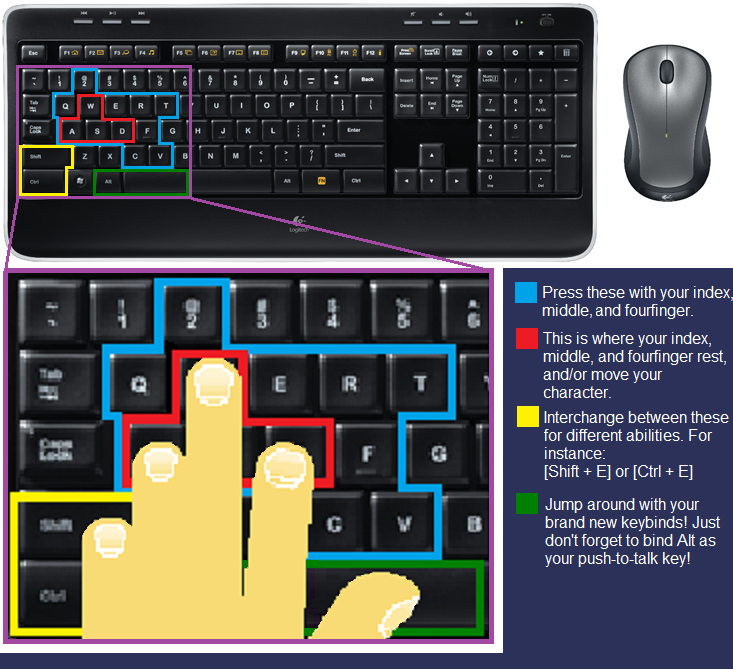
Rift: Key Bindings UPDATED

The Rift online manual's very last page has keyboard key bindings for all the commands.
http://www.riftgame.com/en/docs/RIFT_Manual_EN.pdf

Here's one player's keyboard layout.
http://forums.riftgame.com/showthread.php?27925-Key-Bindings-Increase-Your-Game!

http://i771.photobucket.com/albums/xx352/tessaro8/Rift/Keybinds.png

Here is another player's key bindings for their Belkin n52te gamepad.  (last entry on page)
http://forums.riftgame.com/showthread.php?27925-Key-Bindings-Increase-Your-Game!/page5

UPDATE:  Still another player's version of key bindings.
http://www.riftrvr.com/guides/keyboard-bindings/

UPDATE #2:  Key binding video for melee and ranged classes.
http://forums.riftgame.com/rift-general-discussions/classes-telara/warrior-discussion/156847-taugrims-video-strafing-movement-keybindings.html

Hilarious mock key binding.
http://redhawksgaze.groomsblogginggroup.com/2011/12/new-keybindings-for-rift/

***************************
Copyright Solo MMO Player at http://solommo.blogspot.com

Sunday, February 27, 2011

Rift: Gathering and Crafting Professions Help

Need information about the professions?  There are three gathering professions (butchery, foraging and mining) and six crafting professions (apothacary, armorsmithing, artificing, outfitting, runecrafting and weaponsmitthing).  A character can choose up to three professions.  Good explanations of all the professions are found here.
http://telarapedia.com/wiki/Profession

However, I think this explanation is clearer and covers all the crafting and gathering professions in a more comprehensive manner.  It also shows the various crafting windows you'll use.
http://thisisnotarift.blogspot.com/2011/02/crafting-101.html

All about runecrafting, from trainers to upgrading components, runebreaking and transforming components.
http://telarapedia.com/wiki/Runecrafting

Here's a list of runecrafting recipes.
http://rift.ign.com/wiki/Runecrafter

Mining trainers, recipes and ores are listed here.
http://rift.ign.com/wiki/Mining

Crafting videos (Meridian) shows how it works with the interface.
http://wn.com/Rift_Headstart_Crafting_Trainers_Pve_Pvp_Ashtone_Proper

http://wn.com/Rift_Headstart_Crafting_Trainers_Pve_Pvp_Ashtone_Proper#

***************************
Copyright Solo MMO Player at http://solommo.blogspot.com

Monday, December 6, 2010

Programming Addons for Cataclysm (Patch 4.0)

Blacksen talks about how Blizzard has changed its UI system in several major ways as of Patch 4.0, and how this effects addon developers, using his own Loot Council Lite as an example.  It's a technical article instead of a general interest one, but since I rarely see addon writers talking about their craft, I wanted to add a link here for those who might be interested in a glimpse of how such things work.
http://blacksen.com/archives/1033

***************************
Copyright Solo MMO Player at http://solommo.blogspot.com

Saturday, November 27, 2010

Nameplates and Cooldown Monitors

No Stock UI has found two new addons to help raiders.  One is a nameplate addon for PvP called Docs Nameplates.
http://www.nostockui.com/2010/11/docs-nameplates/

The other is called Flump.  It keeps track of when any player activates a raid cooldown, a portal or drops a feast, and also when the activated ability wears off.
http://www.nostockui.com/2010/11/what-can-flump-do-for-you/

***************************
Copyright Solo MMO Player at http://solommo.blogspot.com

Wednesday, November 17, 2010

Resizing the Default UI

Apparently Patch 4.0.3 has resized the default UI.  If you are tired of squinting at your screen, Rhii explains how to fix the problem.  Screenshots are included to illustrate her tutorial.  Note the additional help at the end of the article.
http://www.ohmykurenai.com/2010/11/how-to-resize-the-default-ui-with-pictures/

***************************
Copyright Solo MMO Player at http://solommo.blogspot.com

Monday, October 18, 2010

A Raiding Priest's UI

Since your pre-Patch 4.0.1 UI is trashed, you might want to look at this one for ideas to rebuild yours.
http://wow.joystiq.com/2010/10/19/reader-ui-of-the-week-rages-ui/#continued

***************************
Copyright Solo MMO Player at http://solommo.blogspot.com

Friday, October 15, 2010

Welcome to Chaos

By now Patch 4.0.1 is in full swing.  Everyone's talents are trashed and they are scrambling to fix their glyphs and gems.  The Auction House and normal functions of one's UI are broken or missing.  There are problems accessing one's bank account.  Many addons don't work.  There are bugs in the raids.  (The Solo MMO Player was stuck in Halls of Reflection for hours last night, unable to exit or switch to another character.)  Most of the body of information that has been accumulated online to help players is outdated, including most of what is on this site.  I've also heard that a great many guilds are telling certain classes not to raid because they've been nerfed.  There was so much chaos earlier in the week that the trolls weren't even on the chat line.  Currently there is a constant background clicking going on in-game as players switch this and that.

The worst part is that this mess is just Blizzard's way of having a world-wide beta paid for by the players.  I expect they are watching all the problems and bugs and making a list of those they want to fix before Cataclysm arrives.  Cynical?  No, this is just how Blizzard treats their customers.  All this is for their convenience, not yours.

It's not a happy time.  When you think that you are going to be playing in a Patch 3.3.5 world with Patch 4.0.1 characters until after December 7--if you buy Cataclysm--and forever if you don't, well, this is a Bet the Company move on Blizzard's part.

Do you really want to continue to play this game?

***************************
Copyright Solo MMO Player at http://solommo.blogspot.com

Tuesday, October 5, 2010

Cataclysm's Guild Advancement System Explained

Matticus covers how the guild advancement system will work.  It covers perks, guild reputation and experience, achievements and rewards, and the guild UI changes.
http://www.worldofmatticus.com/2010/10/05/guild-advancement-101/

Here is a bit about the changes to guild achievements Blizzard made after Cataclysm hit and why.
http://wow.joystiq.com/2010/12/13/officers-quarters-the-guild-achievement-controversy/

***************************
Copyright Solo MMO Player at http://solommo.blogspot.com

Friday, October 1, 2010

Cataclysm: The Healer's UI

Matticus takes a critical look at how the Cataclysm UI will effect healers.
http://wow.joystiq.com/2010/10/01/raid-rx-the-evolving-healing-ui/#continued

***************************
Copyright Solo MMO Player at http://solommo.blogspot.com

Saturday, September 18, 2010

Tooltips for Dummies (Cataclysm)

In their never-ending quest to make WOW playable by any six year old, Cataclysm will introduce beginner tooltips, which is an optional feature you can turn off or on that allows players to reduce the complexity of the tooltip information.  More details here, for those of us who can read.  There are screenshots for those who can't (or won't).
http://wow.joystiq.com/2010/09/17/cataclysm-beginner-tooltips-option-simplifies-abilities-for-rook/

***************************
Copyright Solo MMO Player at http://solommo.blogspot.com

Friday, September 17, 2010

Avoiding UI Problems in Cataclysm

Tips on how to avoid some of the pain that will happen when Cataclysm hits and borks your UI and addons.  It's a long and laborious process but necessary to play the game once an expansion comes out.
http://graymatterwow.blogspot.com/2010/09/cataclysm-moonkin-glyphs.html

***************************
Copyright Solo MMO Player at http://solommo.blogspot.com

Monday, September 6, 2010

How Cataclysm Changes Mage Auras

Once again Blizzard rips off addon ideas to change their standard UI.
http://www.manaobscura.com/2010/09/cataclysm-ui-mage-auras/

***************************
Copyright Solo MMO Player at http://solommo.blogspot.com